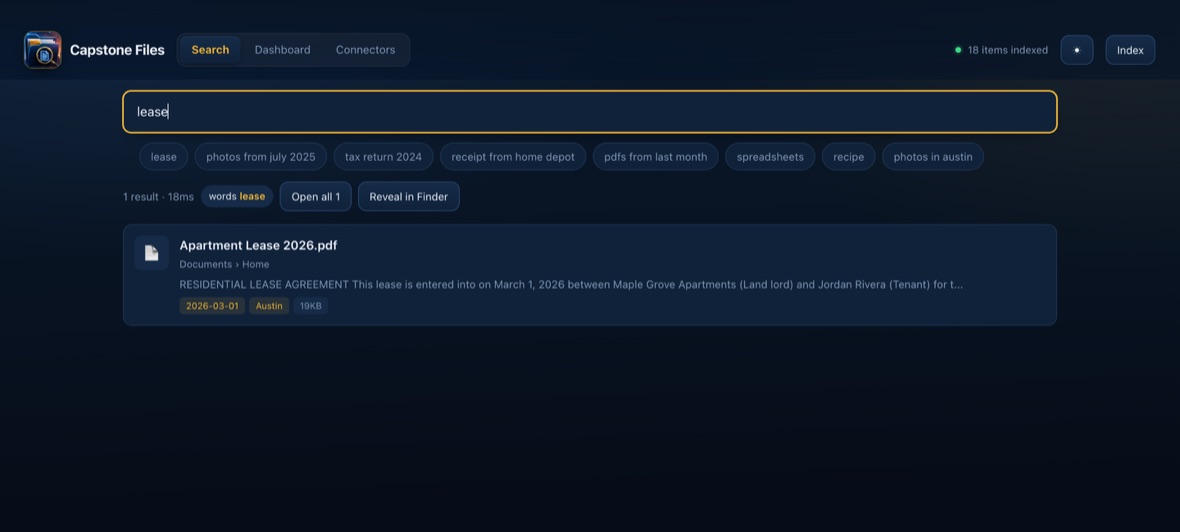
Is my data sent anywhere?
No. The index is built on your computer and searches run against it locally. Your documents and their contents stay on the machine — they are not uploaded, and we never see them.
Is there a Windows version?
A Windows build is in development but is not published yet, so there's nothing to download for Windows today. macOS is available now.
Do I have to connect my cloud storage accounts?
No. If you already run the Dropbox, Google Drive, OneDrive or Box desktop app, those synced folders are indexed like any other folder on your disk. There's no account connection step.
What kind of work is it for?
Anything with a lot of documents. It's a general-purpose file finder — contracts, invoices, receipts, statements, correspondence, scanned records, research. It isn't tied to any particular industry or line of work.
How does the iPad access work?
Your computer continues to do the indexing and searching. The iPad simply opens the same screens in Safari over your own Wi-Fi network, protected by a passcode you set.
 Live now · macOS